
Recording minutes and overage
How the pool is calculated. included minutes per seat × seats currently in use, pooled across every active member of the organisation. Buying a seat and leaving it empty adds capacity but no extra minutes. Free is the exception: it is a flat 60 minutes for the whole account, whatever the seat count.
Every completed transcription is billed on how much audio it actually contains, not how long the tab was open. A recording that sat paused for hours bills only the recorded audio. The figure is rounded up to whole minutes and logged once; re-transcribing or regenerating never re-charges it.
The billing month. For an account with a subscription, "this month" runs from your billing day to the same day next month: not the calendar month. Yearly plans work the same way: allowances reset monthly on the day your yearly plan started. Without a subscription it falls back to the calendar month. This is why the usage bars can be out of step with a calendar month.
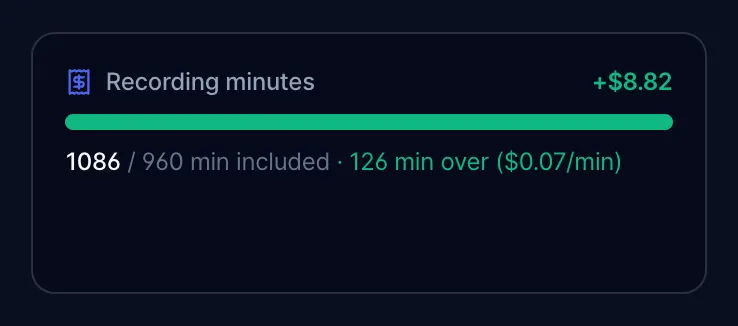
Past the pool. Extra minutes are pushed to Stripe at $0.07/min and appear as usage-based charges on the next invoice. No warning modal, no block: the Plan & billing usage bar simply turns green and shows "N min over ($0.07/min)".
If a payment fails. The person who pays for the plan sees a thin line at the top of the page: "Your last payment didn't go through." Click Update payment to open the secure billing page and change the card. Clicking the X moves the notice to the bell (top right), where it keeps the Update payment button. It clears by itself once the payment succeeds; this can take a few minutes, or switch away from myScribe and back to check right away. Teammates on the plan do not see it.
Free plan is different, and this is the single biggest gotcha in the product:
- On Free, live in-app recording is hard-capped at 60 minutes per calendar month. Pressing record past the cap refuses to start and pushes you to the upgrade screen. A recording that crosses the cap mid-session is stopped and saved automatically ("Saved! That's your 60 free minutes for this month").
- Adding a card does not raise the free live-recording limit. Upgrade to a paid plan for metered additional live recording time.
- Once the 60 minutes are used, a thin line at the top of the page says "You've used your 60 free minutes this month" with Upgrade to Pro. Click the X to dismiss it; it then stays in the bell (top right) as a notice with an Upgrade to Pro button. It disappears by itself as soon as you upgrade, and when your free minutes return on the 1st of the next month.
- Uploads and pasted transcripts are not blocked by the minute cap at all. A Free user can import unlimited audio files (subject to the file-size caps: 50 MB audio, 500 MB video) and it will be transcribed.