The task detail sheet
Where: click any task row or card anywhere in the app. On mobile it is a full-height sheet you can swipe down (from the header) to dismiss; on desktop it is a centred panel. Esc closes it.
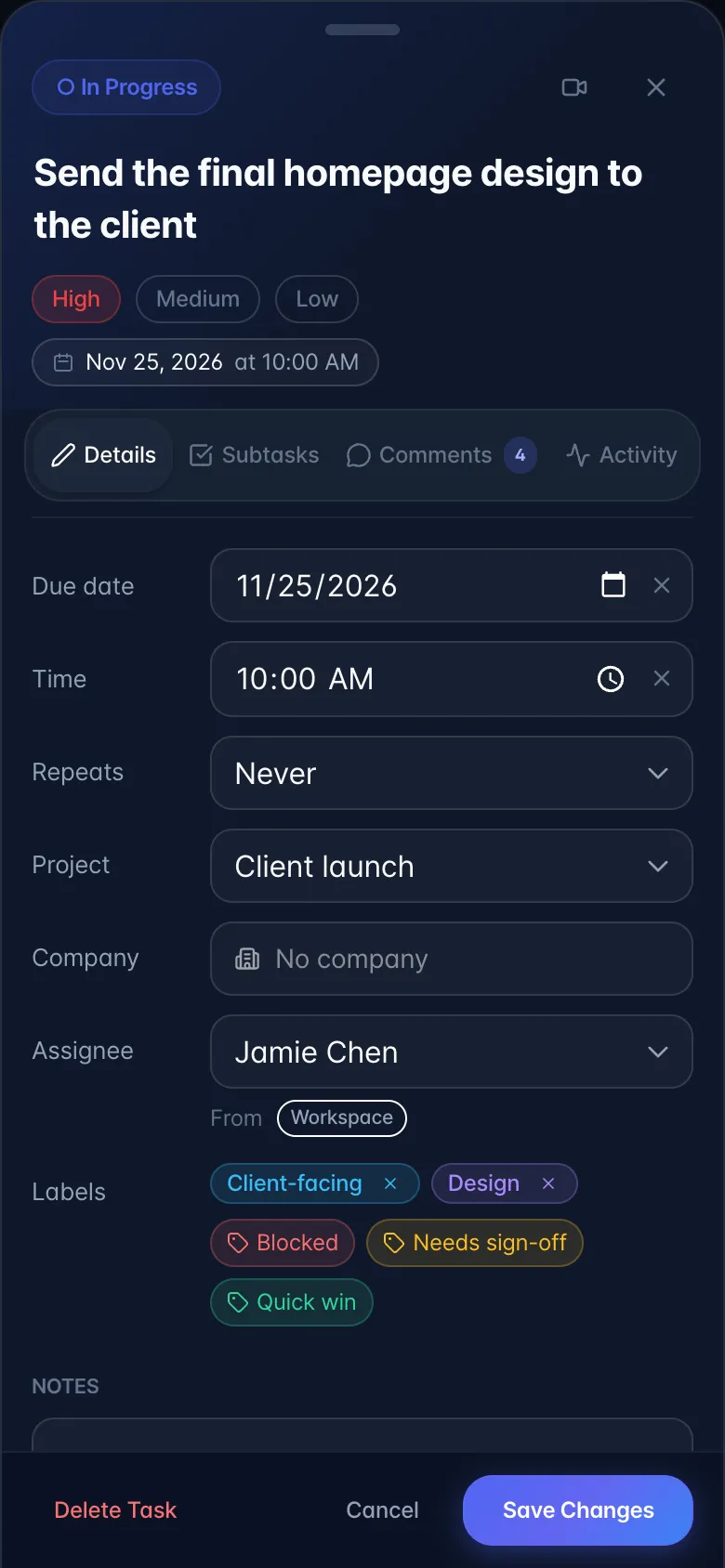
Header: a green Mark complete button (saves immediately, on its own), with the task's board status (To Do, In Progress, In Review or Done) beside it. Tap it to mark the task Completed; tap Completed again to reopen it. Below it is the title: click it to edit it in place, on any tab (Enter finishes the edit; it is kept when you press Save Changes). Then the High / Medium / Low priority chips, which are where you set priority, a due-date chip that jumps to the Due date field, a link to the source recording if there is one, and a close button.
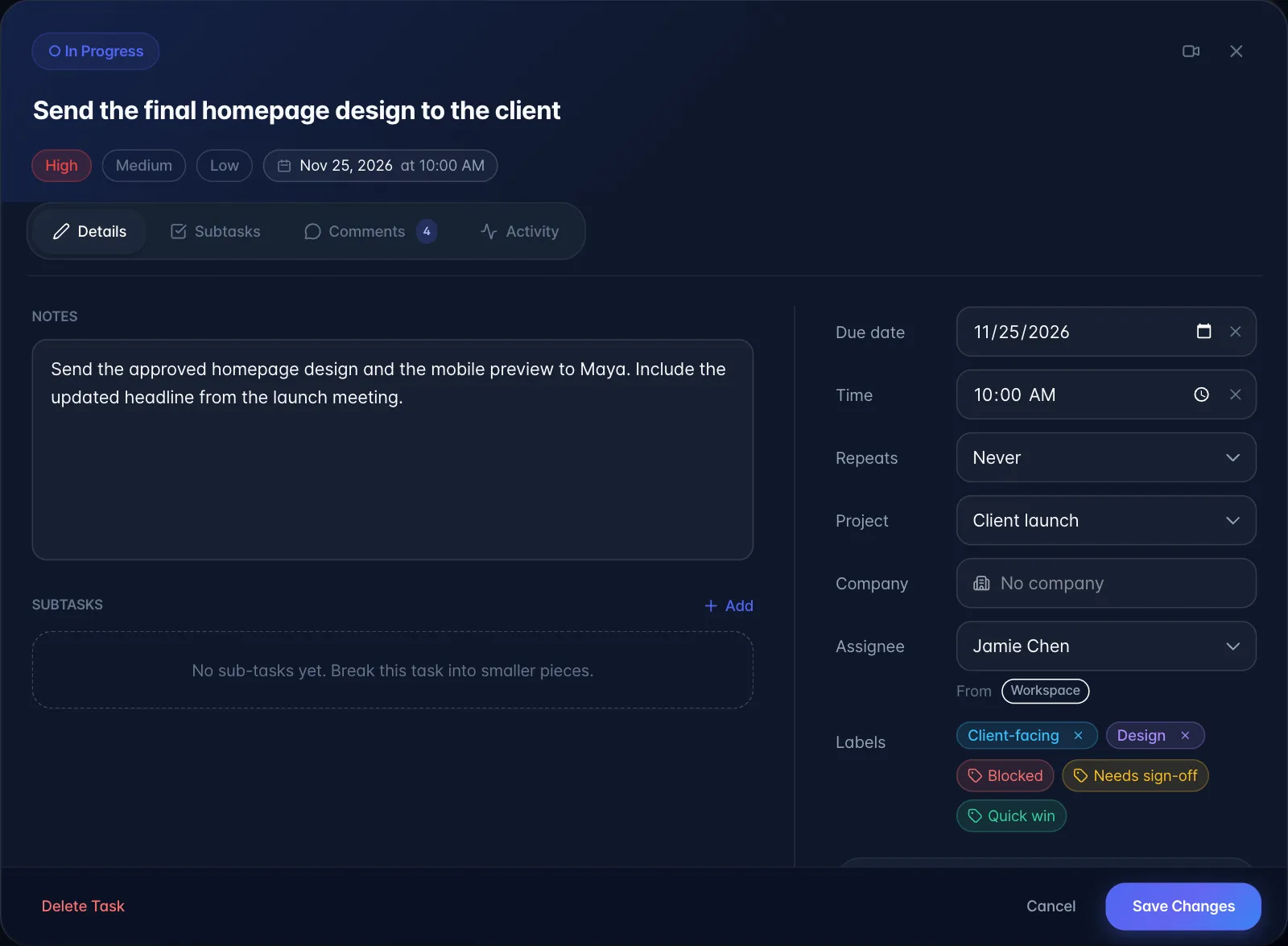
Four tabs:
| Tab | Contains |
|---|---|
| Details | Notes and inline Subtasks, beside a properties list: Due date, Time, Repeats, Project (+ create new, with a colour picker), Company, Assignee, Labels, then Reminder, Add to Calendar and the link to the source recording. On a phone the properties list comes first, then Notes and Subtasks |
| Subtasks | The same sub-task manager, full width, with a progress bar |
| Comments | Chat thread, @mentions, and the AI chat toggle (Comments and the in-task AI chat) |
| Activity | Automatic history of the task |
Important behaviour
- The title, the priority chips and everything on the Details tab need Save Changes. The only things that save instantly are the header's Mark complete button, labels, and sub-task edits. Closing without saving loses your edits.
- Add to Calendar opens Google Calendar or Outlook in a new tab pre-filled, or downloads an
.ics(the standard calendar file Apple Calendar and Outlook can import) for Apple Calendar. It creates a 30-minute event at the due time (9 am if no time is set). It is a one-off export: later edits to the task do not update the calendar entry, and there is no ongoing sync. - Detected names inside the title render as clickable chips next to the due-date chip in the header (Assignees, named speakers, and name aliases).
- If the source recording was deleted the link turns red and reads "Recording Unlinked".
- The Comments tab makes the panel much wider on desktop.